Your calendar. On autopilot. Or fully yours.
Beauta auto-assigns bookings to the right staff for maximum capacity — and gives you full override to drag, drop, double-book, or break any rule when you need to.
Hybrid by design
Auto-assigned. Admin-controlled.
The model real salons actually need — automation does the boring work, you keep the final say.
When clients book online
Beauta automatically selects the best time slot and staff member to keep your day running smoothly — minimizing gaps, optimizing staff allocation, and matching every booking with the right skills.
- Fill the smallest gaps in the schedule first
- Optimize staff allocation across bookings
- Match bookings with the right staff skills
- Only book within staff working hours and availability
When you need to step in
Real salons don't follow the rules every time. Admins bypass anything in two clicks — Beauta gets out of your way.
- Allow overlapping bookings for the same staff member
- Create bookings outside working hours
- Override staff availability when needed
- Override skill or service restrictions
Auto → Admin The model real salons actually need — automation does the boring work, you keep the final say.
Inside the calendar
Built for how salons actually operate.
Drag, drop, edit, and manage bookings directly on the calendar — fast, intuitive, and built for busy teams.
Drag-and-drop bookings
Move or adjust appointments directly on the calendar. Changes update instantly across the system in real time.
Colour-coded scheduling
Organise bookings by service, staff, or status to quickly spot gaps, overlaps, and busy periods.
Edit directly on the calendar
Create or update bookings right from the grid without opening multiple popups or switching screens.
Flexible calendar controls
Manage bookings, staff schedules, and availability directly from the calendar with fast, intuitive interactions.
Waitlist
Don't lose a client to a full day.
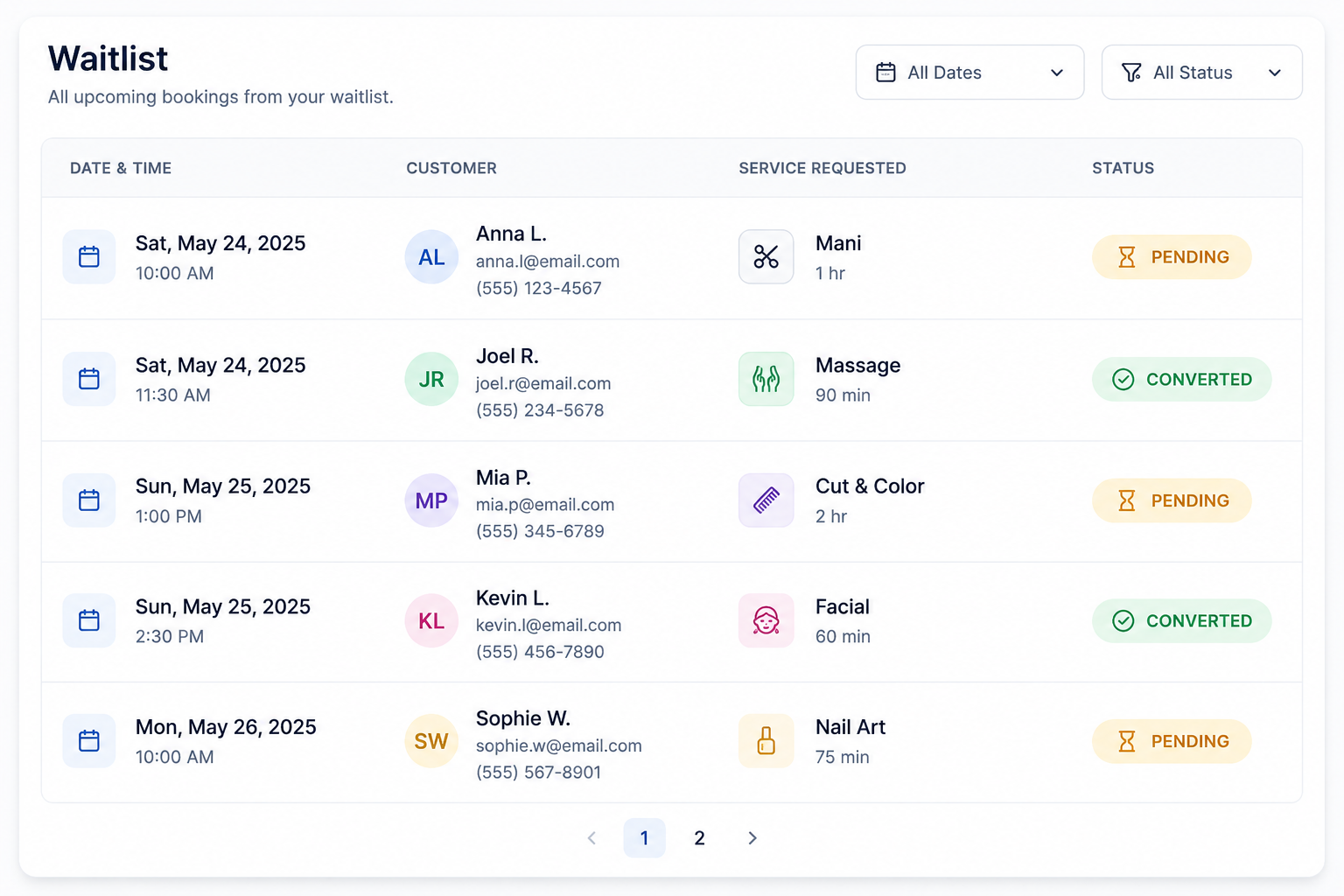
When no suitable slot is available, Beauta captures the booking request into a smart waitlist. The system can automatically convert waitlist requests into bookings when availability opens up — or admins can step in anytime and place them manually, with full override control.
- Capture overflow demand even when fully booked
- Auto-convert waitlist requests when slots become available
- Fill cancellations and gaps before they go unused
Calendar FAQs
How does the auto-assignment decide which staff gets a booking?
Beauta automatically selects the most suitable staff member based on skills, availability, and schedule fit — helping fill smaller gaps in the calendar, optimise staff allocation, and keep the day running smoothly.
Can I override the rules as an admin?
Yes. Admins can overlap bookings, book outside working hours, book on a day off, or override skill restrictions. The system suggests; you decide.
How does the waitlist actually work?
Clients who can't find a suitable slot can join a waitlist. When availability changes, Beauta can automatically convert eligible waitlist requests into bookings — or let admins manually place them with full override control.
Can different staff have different hours and skills?
Yes. Every staff member has their own schedule, breaks, services they can perform, and price list. The auto-assignment respects all of it.
Keep exploring
More features to dive into.
Each feature compounds — see how the rest fit your salon.
- Booking PoliciesPayment, staff selection, cancellation notice — configure every rule the way your salon runs.
- PaymentsOnline deposits, full payments, and gift cards — all powered by Stripe, end-to-end secure.
- StaffSet up your team once. Working hours, breaks, services, and pricing — calendar auto-syncs.
- Roles & AccessSeparate accounts per role. Limit pages and data each person sees. Only admins see everything.
- Reports & AnalyticsRevenue, bookings, top services, no-shows, YoY growth — plus AI forecasts coming soon.
- Feedback & IssuesCustomers rate their visit or report an issue with photos. Track every issue from open to resolved.
- Loyalty PointsCustomers earn points automatically on every completed visit and redeem them for discounts and rewards.
- Data Import & ExportExport bookings and customers in one click. Import data from spreadsheets, old systems, or any source with Beauta support.
Ready to put your calendar on autopilot?
Try Beauta free for a month. We set up your services, staff, and rules — you just open the calendar and watch it run.