Set up your team once. Beauta handles the rest.
Add your staff, the services they can do, and their hours. The calendar updates automatically — and capacity, availability, and skills are all calculated for you.
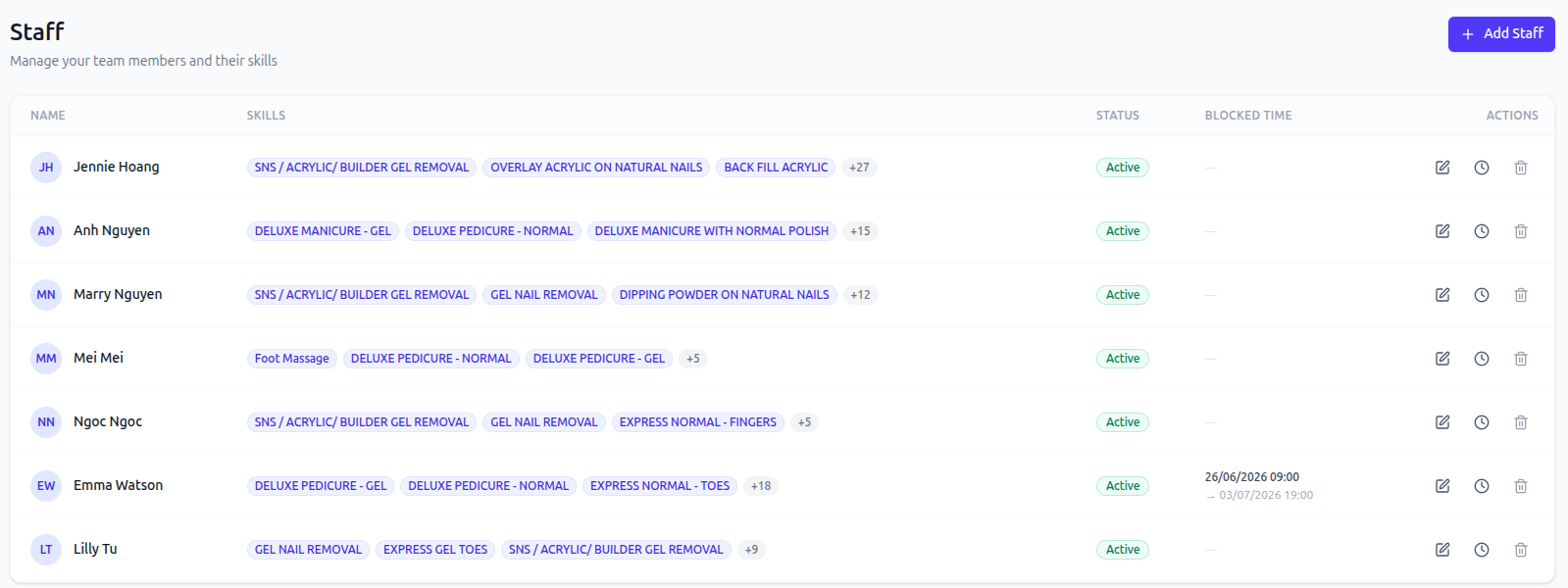
Set once, flows everywhere
Add staff once. Everything else flows.
No manual scheduling. No spreadsheet syncing. Set up your team and Beauta does the rest.
- 1
Add staff once
Name, role, photo, services they can perform, working hours and breaks — set it up in minutes.
- 2
Calendar updates automatically
Every staff member shows up on the calendar with their slots, services, and availability — no manual sync.
- 3
Auto-allocation just works
Service capacity and availability are calculated from your staff setup. The system handles assignment — you don't.
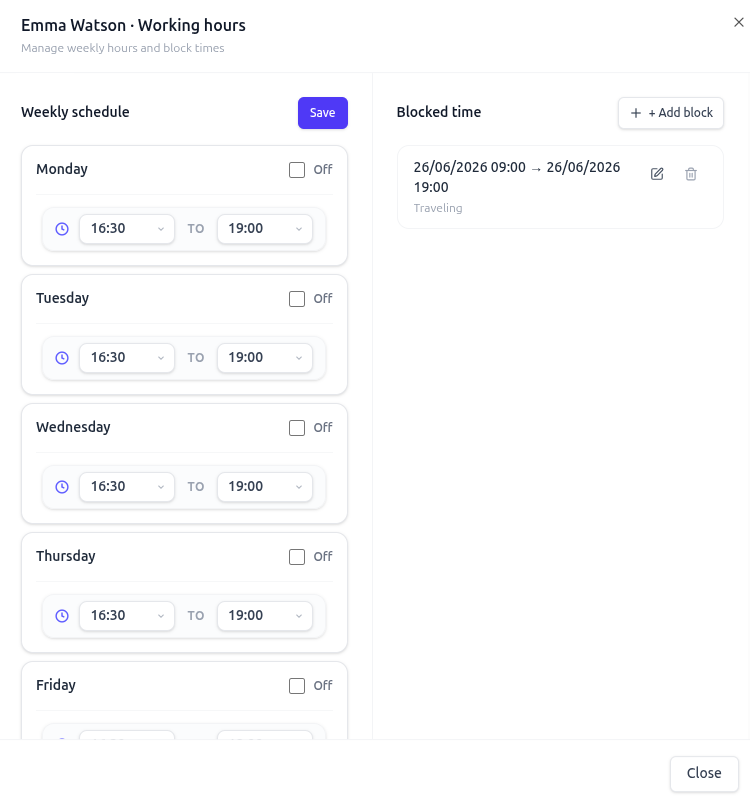
Hours & blocks
Hours, breaks, days off — all in one screen.
Real teams have real schedules. Beauta handles every pattern without spreadsheets.
- Per-staff working hours, set per day of week
- Recurring breaks like lunch or short-stop
- One-off blocks for annual leave or training
- Public holidays and salon-wide days off
- Hours adjustable anytime — calendar reflects instantly
Performance & payroll
Track performance and pay, without the spreadsheets.
Beauta turns every completed booking into the numbers you need — for reviews, for rosters, and for payday.
Per-staff KPIs
Track completed services, revenue, and booking counts for each team member — so you know who's driving the salon.
Export daily working hours
Export hours worked per staff, per day — ready to hand to your accountant or drop into payroll.
Commission calculation
Set commission rules and let Beauta total each staff member's earnings from their completed services automatically.
Auto by default. Override anytime.
Auto-allocation respects every rule you set. As admin, you still bypass any of it — book a stylist for a service they don't normally offer, or schedule outside their hours.
- Book outside a staff member's hours
- Assign a service they don't perform
- Schedule on their day off
- Lock specific bookings to specific staff
Staff FAQs
Can each staff member have different hours and breaks?
Yes. Every staff member has their own weekly schedule with custom hours per day, recurring breaks, and one-off blocks. The calendar respects all of it.
Can I block out specific dates like annual leave or training?
Yes. Block out single days or date ranges per staff. Beauta won't accept bookings for those dates and shows the block clearly on the calendar.
Can I restrict which services each staff can perform?
Yes. Each staff member has their own service list. Auto-assignment only suggests staff who can actually do the service — but admins can still override.
Can staff manage their own schedules?
Yes, with role-based access. Staff can view their schedule, request blocks, or update their own hours within limits you set.
Keep exploring
More features to dive into.
Each feature compounds — see how the rest fit your salon.
- CalendarBookings, auto-assignment, drag-and-drop, color-coding, and a waitlist — all on one calendar.
- Booking PoliciesPayment, staff selection, cancellation notice — configure every rule the way your salon runs.
- PaymentsOnline deposits, full payments, and gift cards — all powered by Stripe, end-to-end secure.
- Roles & AccessSeparate accounts per role. Limit pages and data each person sees. Only admins see everything.
- Reports & AnalyticsRevenue, bookings, top services, no-shows, YoY growth — plus AI forecasts coming soon.
- Feedback & IssuesCustomers rate their visit or report an issue with photos. Track every issue from open to resolved.
- Loyalty PointsCustomers earn points automatically on every completed visit and redeem them for discounts and rewards.
- Data Import & ExportExport bookings and customers in one click. Import data from spreadsheets, old systems, or any source with Beauta support.
Ready to set up your team?
Try Beauta free for a month. Our team adds your staff, hours, and services for you — you just open the calendar.